
Your AI can write a flawless follow-up email. It just can't see whether that customer already called twice this week, open the ticket, or update the record afterward. It is a brilliant advisor locked outside the building where the work actually happens, so a person copies its output into the real systems by hand and copies the context back by hand, all day.
That wall between the AI and your tools is why so much AI ends up as a clever toy instead of a coworker. AI integrations tear it down. They wire your AI into the CRM, inbox, calendar, and other tools you already run, so it can read the real context and, with your permission, take real action.
Here is what that means, how it works, and how to do it without handing an AI the keys to everything.
Key Takeaways
They wire your AI into the CRM, inbox, calendar, help desk, and payments you already run, so it can act on the work, not just talk about it.
The point is to work with the software your team already knows, not rip it out and start over.
Least-privilege access, separate read and write paths, human approval on risky steps, and full logging are what make it safe.
You don't need to know which is which; the right method per tool is the provider's job.
Connect the task that costs you the most, prove it works safely, then expand. Wiring everything at once is how projects collapse.
The connectors, credentials, and accounts should be yours, so you can change AI models later without rebuilding every connection.
The Silo: Why Your AI Can Advise but Can't Act
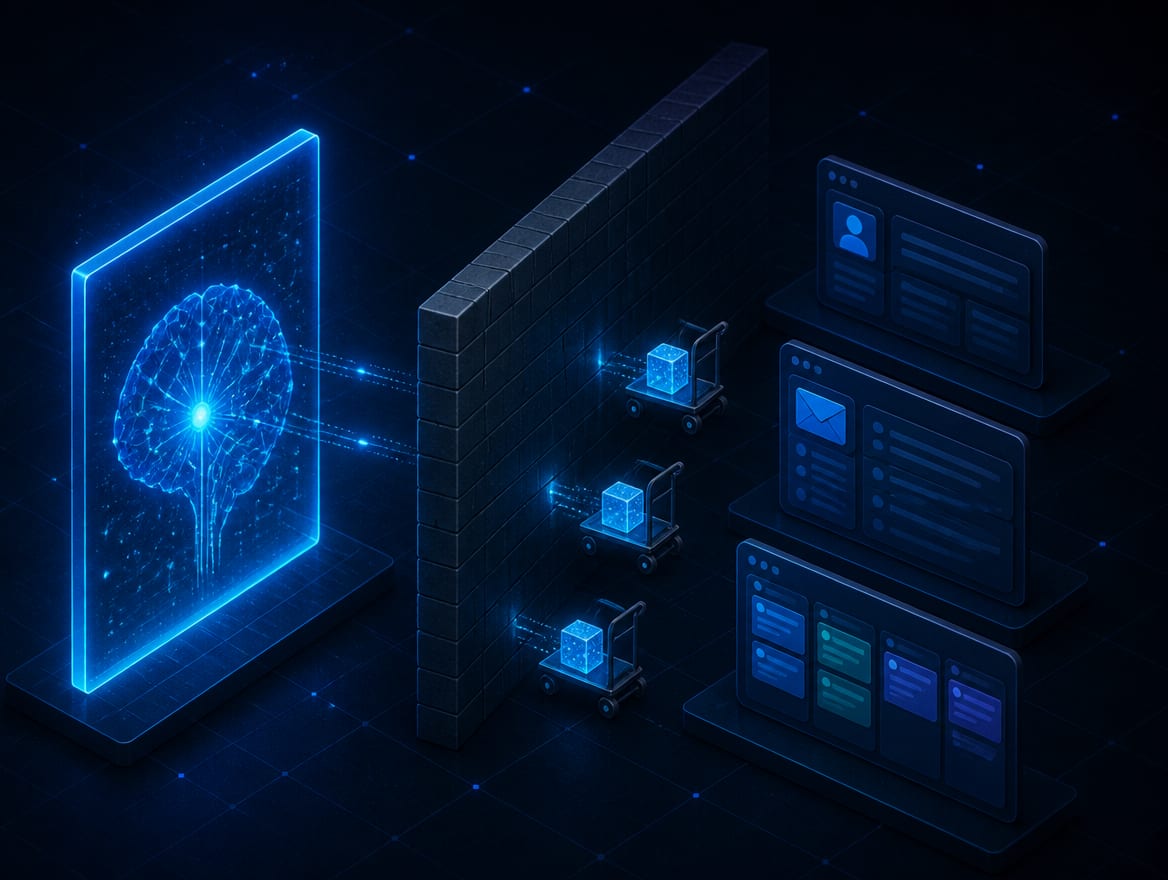
Here is the ceiling most businesses hit with AI. The assistant is genuinely useful right up until the work needs to move. It drafts the perfect reply but can't see the customer's history. It suggests the next step but can't open the ticket or update the record. So, your team becomes the wire, copying the AI's output into the real system and the system's context back into the AI, over and over.
That is the silo, and it is why so much AI stays a demo. The intelligence is there; the reach is not. The AI can talk about your business but can't act inside it, because it isn't connected to the systems where your business records decisions and gets work done. Integrations remove that wall: the AI reads the real context and, with permission, takes real action, turning an advisor into a participant.
What an AI Integration Actually Is
Start with the fear, because it is the common one: no, integrations do not mean ripping out your CRM or replacing the tools your staff already know. The opposite. They connect the software you already run so your AI can work with it. You keep your systems; the AI learns to reach them.
The connections come in a few flavors, and the jargon is simpler than it sounds. An API is a documented doorway software uses to exchange data or actions with other software. A webhook is an automatic nudge one system sends when something happens, like a new lead arriving. MCP, the Model Context Protocol, is a newer open standard that gives AI a consistent, approved way to use a tool or data source, so nobody has to hand-build a one-off connector for every app.
Most real projects use a couple of these together, plus one clean customer record so the AI never works from two conflicting copies of the truth. Which method goes where is the provider's call, not yours. What matters to you is the result: the AI can finally see the current customer, the open task, and the last message, and act on them inside the systems you already trust.

Safe by Design: The Rules That Should Decide Who You Hire
Connecting AI to your customer data, inbox, and payments is exactly as risky as it sounds if it's done carelessly, and exactly as safe as any other business system when it's done right. The difference is entirely in the design. A responsible build follows a few non-negotiable rules.
Least Privilege
The AI gets access to one workflow's systems and actions, and nothing more. No broad administrator account, ever. If a task doesn't need the payments system, the connection can't reach it.
Read and Write Are Separate
Reading your CRM to summarize a customer is low-risk and can run freely. Changing a record, sending a message, or touching money is a different thing, and it is gated.
A Human Approves the Steps That Count
Sensitive actions pause for a person to confirm. The AI proposes; a human commits. "Autonomous" is a slogan worth distrusting.
Everything Is Logged, With a Kill Switch
Every action is recorded so you can see exactly what happened, and one switch cuts the AI's access if anything looks wrong.

What the AI Can Do, and What Needs a Human
The clearest way to think about a safe integration is by what each action requires. Reading is free; consequential actions are gated. Here is the gradient in practice.
| What the AI Does | Control |
|---|---|
| Reads a customer's history to summarize it | Runs freely, read-only |
| Drafts a reply or a follow-up | Runs freely, nothing sent |
| Routes a ticket or adds an internal note | Low-risk, can run or lightly gated |
| Sends a message, changes a record, issues a refund | Human approval required first |
Notice the pattern: the AI does the tireless reading and drafting, and a person keeps the decisions that carry weight. That is the design, not a limitation.
Start With One Workflow, Not Everything at Once
The systems worth connecting are the ones where your work already lives: your CRM, help desk, project board, email and calendar, client portal, and, carefully, your payments. But more connections is not more value, and a provider who wants to wire everything at once is a provider to be wary of. The right way is one workflow at a time: pick the task that eats the most hours or drops the most balls, connect only what it needs, prove it works safely, then reach for the next.
Integrations are also what make everything else you build with AI real. An AI knowledge base gives the AI approved context; integrations let it use that context inside your live systems. A chatbot holds the conversation; integrations let it actually book the appointment. An automation defines the steps; integrations connect them to the CRM and calendar. The connection layer is the piece that turns advice into done, and deciding which of those pieces you need first is an automation consulting question rather than a technical one.
Quick Check: AI Integrations
Pick an answer to begin.
1. What is the safest way to start connecting AI to your business tools?
2. When should a human approve an AI action?
3. Do AI integrations mean replacing your current CRM and tools?
Frequently Asked Questions About AI Integrations
What is an AI integration?
It is a connection that lets your AI read approved data or take approved actions in the software you already use, such as your CRM, email, calendar, help desk, or payments.
What is MCP?
MCP, the Model Context Protocol, is an open standard for connecting AI to external data and tools in a consistent, approved way. It is one of several connection methods; a direct API or webhook may fit better for some workflows.
Is it safe to connect AI to our customer data?
It is as safe as the design makes it, which is why design comes first. Least-privilege access, separate read and write paths, human approval on sensitive actions, protected credentials, full logging, and a kill switch turn a risky idea into ordinary business security.
Can the AI read our records without changing them?
Yes, and that is usually where a good build starts. Read-only access lets the AI summarize and draft with real context while touching nothing. Write access is added separately, one action at a time, behind approvals.
Will this replace the software we already use?
No. The purpose is to connect the tools you already run, not replace them. Your staff keep the software they know.
Who owns the integration?
You should. The connectors, credentials, data mappings, and accounts belong in your name, so you can change AI models or providers later without rebuilding your business connections.
Final Thoughts
AI integrations are what turn a smart advisor into a coworker. They give your AI the reach to act inside the tools you already run, and the boundaries, least privilege, separated read and write, human approval, full logging, that make that reach safe. Done right, you get the usefulness without the exposure, and you own the wiring so you are never locked in.
The businesses that win with AI over the next few years won't be the ones with the flashiest chatbot. They will be the ones whose AI is wired into the real work, catching the follow-up, updating the record, moving the task forward, while a person keeps the decisions that matter.
At Web Leveling, we build AI Integrations the careful way: boundaries first, one workflow at a time, every connector and account yours at the end. If your AI is stuck giving advice it can't act on, contact us and we will send back a clear, workable plan within one business day. We start with one workflow, prove it, and only then reach for the next.
Terms
AI Integrations: Key Terms
Tap a term to see what it means.
MCP. The Model Context Protocol, a newer open standard that gives AI a consistent, approved way to use a tool or data source.
API. A documented doorway software uses to exchange data or actions with other software.
Webhook. An automatic nudge one system sends when something happens, like a new lead arriving.
CLI. A command-line connection, used to drive software that already runs by command.
Least privilege. Giving the AI access to one workflow's systems and actions and nothing more. No broad administrator account, ever.
Human in the loop. A person confirming the consequential actions. The AI proposes; a human commits.
Unified customer record. One clean source of truth so the AI never works from two conflicting copies of the same data.