


On November 23, 2026, Google added 12 existing crawlers and fetchers to its crawling documentation and moved one more, APIs-Google. A crawler is a program that reads pages on its own, and a fetcher grabs a page because a person or an app asked it to.
Google's changelog explains the change in one line: "These crawlers and fetchers are not new; we're documenting existing high-volume clients that are more likely to show up in server logs and that we've received questions about." If you saw an unfamiliar Google name in your site's logs or firewall alerts, it may have been visiting for a long time.
Nothing about these names calls for a rushed block. The first move is to match each of these Google crawlers and fetchers to the product it serves, then check the visitor's IP address against Google's published lists. Allow what checks out, and leave the rest stopped.
Key Takeaways
Google documented 12 crawlers and fetchers on November 23, 2026 and moved APIs-Google, so decide name by name instead of blocking everything that says "Google".
Verify the visitor's IP with reverse and forward DNS, or against Google's published JSON files, before you allow any request that claims to be Google.
Google's November 17, 2026 guide says to allow verified Google-Agent traffic and skip bot challenges for those requests.
Google added 12 names on November 23, and each one was already visiting
Google's changelog entry for November 23, 2026 carries the heading "Documented additional existing crawlers and user-triggered fetchers." It sorts the new names into two groups, and the group decides how the name behaves.
Special-case crawlers are Google programs that read pages for one specific product. User-triggered fetchers are the ones that run when somebody asks: a person previews a link, an app calls a web address, a developer runs an audit. Six names joined each group, and APIs-Google moved from the first group to the second.
Some of these names hide inside long strings. GoogleDocs, for example, identifies itself as `Mozilla/5.0 (compatible; GoogleDocs; apps-spreadsheets; +http://docs.google.com)`, so search your logs for the product name inside the string, not the whole line.
| Name | Group | What Google lists it for | Robots.txt |
|---|---|---|---|
| Google-analytics-postbacks | Special-case crawler | Google Analytics attribution postbacks | Ignores it |
| Google-Calendar-Importer | Special-case crawler | Refreshes subscribed .ics calendar feeds | Ignores it |
| GoogleDocs | Special-case crawler | Supports Google Sheets functions such as IMPORTHTML | Ignores it |
| Google-Edu | Special-case crawler | Verifies institutional domains for Google Workspace for Education | Ignores it |
| pageburst | Special-case crawler | Renders pages for Google Ads quality, landing-page safety and page understanding | Ignores it |
| PlayStore-Google | Special-case crawler | Validates URLs submitted to Google Play | Ignores it |
| AppEngine-Google | User-triggered fetcher | Google App Engine URL Fetch | Generally ignores it |
| Google-Apps-Script | User-triggered fetcher | Apps Script URL fetching | Generally ignores it |
| Google-Cloud-Tasks | User-triggered fetcher | Scheduled and asynchronous Cloud Tasks requests | Generally ignores it |
| GoogleImageProxy | User-triggered fetcher | Images embedded in Gmail and documents | Generally ignores it |
| Google Web Preview | User-triggered fetcher | Link-preview thumbnails | Generally ignores it |
| Chrome-Lighthouse | User-triggered fetcher | PageSpeed Insights audits | Generally ignores it |
| APIs-Google | User-triggered fetcher (moved) | Push requests, with a corrected user agent string | Ignores it |
Read the table by product, not by the word Google.
A calendar app refreshing a feed, Google Ads rendering a landing page and a Gmail reader's image proxy are three different visitors. Each serves a different product, so each gets its own decision. The crawling changelog, the special-case crawler list and the user-triggered fetcher list carry the exact strings for every row.

Robots.txt stops some Google visitors and does not reach others
Open yoursite.com/robots.txt in a browser tab and read what it blocks. That file is a set of requests to visitors, and well-behaved crawlers follow them.
Google's common crawlers, Googlebot among them, "always obey robots.txt rules for automatic crawls." The six special-case crawlers added on November 23 ignore robots.txt. User-triggered fetchers generally ignore it too, because a person or an app asked for that fetch. APIs-Google follows the same rule: its push requests "come from the user-triggered fetcher IP ranges and ignore robots.txt rules."
A Disallow line is a request, not a lock.
The standard behind the file says it outright. The IETF's RFC 9309 states: "These rules are not a form of access authorization." Even for the crawlers that obey it, Google's robots.txt specification adds a limit: "Google can't index the content of pages which are disallowed for crawling, but it may still index the URL and show it in search results without a snippet."
So, a page you want kept private belongs behind a login. A Disallow line only asks nicely.
A name in your logs proves nothing until the visitor's IP address matches
You open the firewall events and find a line that reads GoogleDocs, with an IP address beside it. The name looks right. The next step is not to allow it or block it.
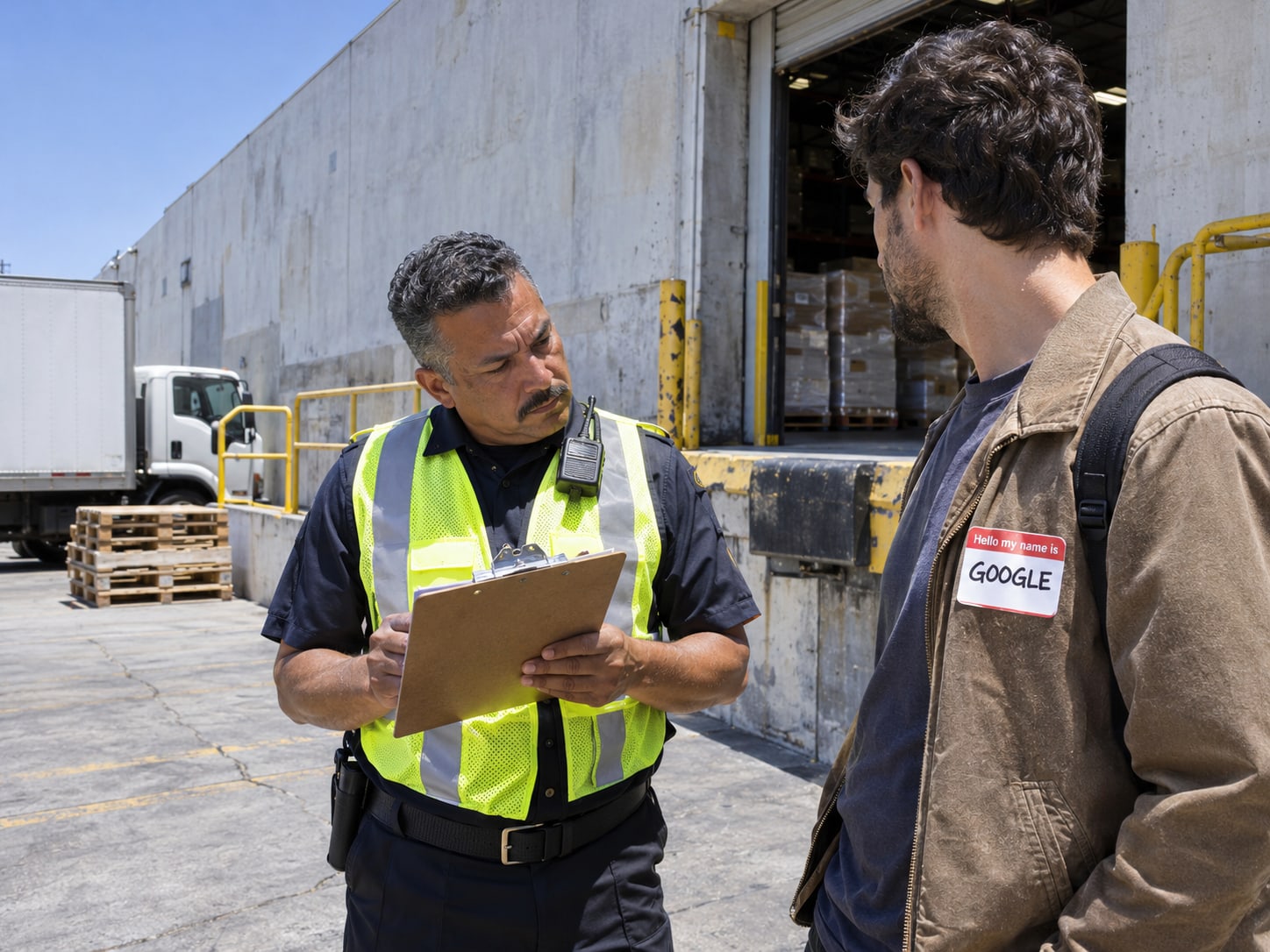
Think of the front desk of an office building. A user agent is the name tag a visitor wears, and anyone can write "Google" on a sticker. A guard who waves in every sticker has checked nothing. The ID check is the visitor's IP address, and that is where Google's verification steps begin.
Your host can run this check for you, or you can run it yourself with any DNS lookup tool:
- Run a reverse DNS lookup on the logged IP address. That turns the address into a hostname.
- Confirm the hostname ends in `googlebot.com`, `google.com` or `googleusercontent.com`.
- Run a forward DNS lookup on that hostname. That turns the name back into an address.
- Confirm it returns the same IP address you started with.
A special-case crawler should resolve to a name like `rate-limited-proxy----.google.com`. A user-triggered fetcher should resolve to something like `---.gae.googleusercontent.com` or `google-proxy----.google.com`. If the lookup does not match, treat the request as unverified; our guide to spotting fake Googlebot traffic covers what to do next.
A firewall cannot run lookups by hand, so it uses lists. Google publishes its address ranges as JSON files in its IP range directory: `common-crawlers.json`, `special-crawlers.json`, `user-triggered-fetchers.json`, `user-triggered-fetchers-google.json` and `user-triggered-agents.json`. Match the file to the group your name belongs to, using Google's verification steps.
In other words, you are asking one question: does this IP address belong to Google?
Google-Agent is the one name Google asks you to allow once it is verified
On November 17, 2026, six days before the new list, Google published a guide called "Allow Google-Agent traffic." Its core advice is one sentence: "Explicitly allowing `Google-Agent` traffic in your content delivery network (CDN), web application firewall (WAF), or bot-detection service helps prevent legitimate requests from being blocked while preserving your existing security controls."
A CDN is the service that serves copies of your pages from servers near each visitor. A WAF is the filter that sits in front of your site and decides which requests get through.
Google-Agent is the name used by agents hosted on Google infrastructure "to navigate the web and perform actions upon user request." Someone asks a Google agent to do something on the web, and the visit arrives under this name. It is a different visitor from Googlebot, with a different job.
Google gives two checks for it:
- The header: "Confirm that the `User-Agent` header contains `Google-Agent`."
- The address: "Confirm the IP address as being in `user-triggered-agents.json`."
For verified requests, Google recommends skipping bot challenges, the puzzles and browser tests that separate people from programs. The Google-Agent guide also lists the six places an allowed request still gets stopped:
- Rule priority: A broad network block, a managed bot rule or an AI-agent category block can override your allow rule. An ASN block, for example, shuts out every address a given network owns.
- Challenges: A request can pass an allow rule and still fail an interactive CAPTCHA or a JavaScript challenge.
- Requests after the homepage: Blocked XHR, GraphQL and `api.*` requests can break booking, search or a cart even when the homepage loads.
- Shared-IP rate limits: A per-IP limit can catch Google-Agent, because its requests share a pool of addresses.
- IP-range updates: A hardcoded list goes stale when Google changes its ranges.
- Proxy headers: Load balancers need to pass the original IP, user agent and signature headers through.
Google-Agent is the exception to "verify, then decide": Google has already told you what to decide.
One more name changed the next day. On November 24, 2026, Google added a standalone page for Google-Extended. It is a name you write in robots.txt to manage certain Gemini training and grounding uses, not a visitor with its own user agent, so there is nothing to look for in your logs.
One firewall review, ten minutes, covers the whole chain
Open your host's security events, or Cloudflare's firewall events, set the range to the last seven days and type Google into the filter. Every line that comes back is a visitor to classify.
For each blocked or challenged request, write down:
- The exact user agent: The full string, not a shortened name.
- The source IP: The address you will verify.
- The path and status code: The page or API the request was after.
- The rule or bot action: Which setting stopped it.
- The date and time: That way, your host can find it in their own logs.
- Whether it reached the server: A CDN can stop a request before your server ever sees it.
Then match each name to Google's list, run the DNS check or compare the IP to the JSON file, and read the rule that stopped it. The rule is rarely one setting. Cloudflare warns that its bot products "may challenge API or mobile app traffic," and its Bot Fight Mode guide notes that Bot Fight Mode protects the whole domain and cannot be customized with ordinary WAF custom rules. Its bot management overview covers the other controls in the table below.
| Layer | What to look at |
|---|---|
| Firewall rule | A broad rule, such as a network, ASN or data-center block, that catches Google's addresses |
| Bot score and Bot Fight Mode | Automated-traffic checks that can issue challenges and cannot be edited with ordinary WAF rules |
| Verified-bot setting | Cloudflare's Super Bot Fight Mode has a separate action for verified bots, set to allow or block |
| AI-agent policy | Cloudflare has separate policies for AI agents, AI crawlers, AI search and AI training |
| Rate limit | A per-IP cap that shared Google addresses can hit |
| Challenge | A CAPTCHA or JavaScript test on pages, forms, booking, search or API calls |
| Your own server | A block at the origin that the CDN never shows you |
Cloudflare is one example. How your own host's firewall treats these names is set by that host, so ask them where the setting lives and how to add a narrow exception.

Allow what verifies. Leave the rest stopped.
Plan it in two passes. This afternoon, classify every Google name from the last seven days and verify the IP behind each one. This week, take each verified request that was blocked, find the rule behind it, add the narrowest exception that fits, and retest from a phone: submit your contact form, open your booking link and run a search on your site.
An old string and a few settings can block a real Google visitor
The same November 23 entry fixed one string. Google "added the missing semicolon after APIs-Google," and the corrected value reads `APIs-Google; (+https://developers.google.com/webmasters/APIs-Google.html)`. Google's note to anyone who copied the old one: "If you hardcoded the old value in your code, update the string to avoid potential bugs."
If your firewall rules or code match on that string, update it today. The remaining mistakes sit in the settings:
- Trusting the name alone: An allow rule that matches "Google" in the user agent lets in anything that types the word.
- Allowing every Google name: An exception wider than the product, path or address range it was meant for.
- Assuming robots.txt covers every fetcher: A rule written for the wrong token, or one that expects a user-triggered fetcher to obey it.
- A stale address list: Ranges copied once and never refreshed from Google's JSON files.
- A split between CDN and server: The CDN allows the request and the origin refuses it, or the reverse.
But you run a two-person shop. Does any of this need a consultant?
You can trace one logged request yourself, from the name to the IP to the rule, in about ten minutes. An unfamiliar name in a log is not a reason to buy ongoing SEO, hosting or security work. Outside help earns its place when two systems disagree: the CDN allows a request that your server blocks, or Google-Agent reaches the homepage and fails at booking. If the review started with a hosting bill that went up, the traffic behind it is a separate question, covered in what to do when crawlers raise your hosting bill.

Check your Google crawler decisions
Pick an answer to begin.
1. A firewall event shows the user agent Google-Calendar-Importer. What shows the request really came from Google?
2. What does Google say about robots.txt and user-triggered fetchers?
3. Google-Agent reaches your homepage but fails at your booking form. Which setting is worth checking?
Frequently Asked Questions About Google Crawlers and Fetchers
Which Google crawlers and fetchers were added on November 23, 2026?
Six special-case crawlers: Google-analytics-postbacks, Google-Calendar-Importer, GoogleDocs, Google-Edu, pageburst and PlayStore-Google. Six user-triggered fetchers: AppEngine-Google, Google-Apps-Script, Google-Cloud-Tasks, GoogleImageProxy, Google Web Preview and Chrome-Lighthouse. APIs-Google also moved to the user-triggered group.
Are these new Google bots?
No. Google says they are existing high-volume clients that were newly documented because they show up in server logs and draw questions.
Do Google's user-triggered fetchers obey robots.txt?
They generally ignore it, because a person or an app asked for that fetch. Common crawlers such as Googlebot obey robots.txt for automatic crawls.
How do I tell a real Google request from a fake one?
Run a reverse DNS lookup on the IP, confirm the hostname ends in googlebot.com, google.com or googleusercontent.com, then run a forward lookup and confirm it returns the same IP. A firewall can match the IP against Google's published JSON range files instead.
Should I block Google-Agent?
Google asks site owners to allow verified Google-Agent traffic and to skip bot challenges for it. Blocking it can stop requests that people make through Google's agents from completing. It is a separate name from Googlebot.
Can I use robots.txt to hide private pages?
No. The IETF's RFC 9309 says robots.txt rules "are not a form of access authorization," and Google may still show a disallowed URL in results without a snippet. Put private pages behind a login.
The Bottom Line
Google's November 23, 2026 list names 12 existing crawlers and fetchers and moves APIs-Google, each tied to a product. Robots.txt reaches Googlebot and the other common crawlers but not the special-case crawlers or user-triggered fetchers. A name in your logs is only a name until the IP address checks out. Google-Agent is the one visitor to allow after that check, with its challenges skipped.
After one pass through your own firewall events, you will know which Google names you meet, which products they serve and which rule stopped each one. The next unfamiliar name takes minutes, not an afternoon. A name tag proves nothing; the ID check does.
If your logs, your CDN and your server tell different stories and you want someone to trace one request across all three, Web Leveling can do that. Our search engine optimization work covers crawl access and the checks behind it. We work with small and medium businesses across the country and overseas. Send us one logged request and the rule that stopped it, and we will tell you whether it needs a change.
Terms
Crawler words in this post
Tap a term to see what it means.
Crawler. A program that reads web pages on its own, such as Googlebot.
User-triggered fetcher. A Google tool that fetches a page because a person or an app asked for it, so it generally ignores robots.txt.
User agent. The name a visitor gives your server when it asks for a page. Anyone can type any name.
Reverse DNS. A lookup that turns an IP address into a hostname; paired with a forward lookup it confirms who owns the address.
WAF. A web application firewall, the filter in front of a site that decides which requests get through.
Robots.txt. A public file of requests telling crawlers which parts of a site to skip; it is not a lock.