


On November 16, 2026, Google said that Gemini chats are kept for around two months when the new History setting is off, so a chat you thought was gone stays in your account for that long. Google says the kept chats are used to respond to you, to process your feedback, and to protect Google, its users and the public.
Google's privacy hub also says some chats on a personal Google account may be seen by human reviewers. On a work account through Google Workspace, Google's paid business apps, Google says chats are not reviewed by people or used to train its AI models without permission, and your organization's administrator sets how long conversations are kept.
Google also announced a separate new setting that lets you keep your history and opt out of AI training. Both changes begin rolling out globally "in the coming weeks," so your account may not show them yet. First, settle which kind of account you and your staff use for Gemini, because everything else depends on it.
Key Takeaways
Google said on November 16, 2026 that future chats are saved for around two months to respond, process feedback and protect Google, its users and the public.
Google's privacy hub says chats may be handled with help from human reviewers, so confidential material has no place in a personal chat.
Google says Workspace chats are not reviewed by people or used for training without permission, and the administrator sets retention.
The new control lets you keep history while opting out of generative AI model training, and it is rolling out over the coming weeks.
No passwords, payment details, customer or employee information, or confidential documents in a personal chat.
Know what Google keeps when History is off
Turning History off changes what you see, and it changes what Google keeps. Google's announcement says that with the new History setting off, future chats are saved for around two months. They are used to respond to you, process feedback and protect Google, its users and the public. The Gemini Apps Privacy Hub gives the same two-month period for Temporary Chat and for chats you have while History is off.
The table below sets out what Google says about each personal-account setting. The wording comes from Google's announcement of the updated controls and its privacy hub.
| Setting or topic | What Google says |
|---|---|
| History on | Chats appear in your history. Auto-delete defaults to 18 months, with options of 3 months, 36 months or indefinite. |
| History off | Future chats are saved for around two months to respond to you, process feedback and protect Google, its users and the public. |
| Temporary Chat | Retained with your account for around two months, the same period as History off. |
| Keep history, opt out of training | A new setting announced on November 16, 2026, rolling out in the coming weeks. |
| Human reviewers | Google still uses chats to respond and protect its services, including with help from human reviewers, even where settings do not allow training. |
One detail is worth knowing before you delete anything. Google says chats that human reviewers have looked at are not deleted when you delete your history; Google keeps them for up to three years. That is a good reason to decide what goes into a chat before you send it.
Google gave no single date for when the change reaches each account. Open Gemini and read the History setting on every account you use, because the wording on screen is the wording that applies to that account.
See who can read your chats on a personal account and on a work account
The answer depends on the account. On a personal Google account, Google says chats may be handled with help from human reviewers, and its guidance asks you not to enter confidential information that you would not want a reviewer to see or Google to use to improve its services. Our post on whether free Gemini is enough for your business covers what the plans include.
On a Gemini account that belongs to a Google Workspace organization, Google's Workspace privacy hub says chats and uploaded files in the Gemini app are not reviewed by human reviewers or used to train generative AI models without your permission. Those chats fall under the organization's Workspace agreement, and the administrator controls retention.

| Question | Personal Google account | Google Workspace account |
|---|---|---|
| How long are chats kept with History off? | Around two months, per Google | Set by your organization's administrator |
| Can human reviewers see chats? | Google says chats may be handled with help from human reviewers | Google says chats are not reviewed by human reviewers without your permission |
| Are chats used for AI training? | Controlled by your training setting | Google says not without your permission |
| Who controls retention? | You, through History and auto-delete | The administrator |
Our post on Gemini in Gmail and Google Workspace walks through how the work version is set up, which helps if you are deciding whether to move staff onto it.
Keep the right things out of a personal Gemini chat
Google's guidance is short: do not put anything into a personal chat that you would not want a reviewer to see. Its privacy notice also says not to enter login or payment information. For a business, that turns into a plain list of things to keep out of any personal AI chat.
- Passwords, login codes and security answers
- Card numbers and bank details
- Customer names, addresses, phone numbers and account details
- Employee records, pay, reviews and health information
- Contracts, price lists, bids and other confidential business documents
None of this means leaving Gemini alone. A personal chat works well for drafting a social post, tidying the wording of a letter that has no private details in it, or planning a menu. The line is drawn at information that belongs to your customers, your staff or your business.
Find out which account each person uses
Account type decides which rules apply. Someone signed into a personal Gmail address in one browser tab and a company address in another can use Gemini in both without noticing the difference. Google's rules for the two are not the same, so the check is worth doing for every person who uses Gemini for work.
Ask each person to open Gemini, click the round account icon in the corner and read which email address appears. An address ending in your own company domain points to a Workspace account. A gmail.com address is a personal one. Then ask each person to open the History setting and tell you whether it is on or off, and what auto-delete period it uses.

The ten-minute account check
Write down the email address each person uses for Gemini, and whether it is personal or Workspace.
Note whether History is on or off, and the auto-delete period if it is on.
When the new setting reaches the account, check whether training is opted out.
Ask whether anything confidential went into a personal chat, and delete what you can.
Put one sentence on paper that every person sees.
Set History, training and auto-delete the way you want them
Three settings on a personal account decide most of what happens to your chats. History controls whether chats appear in your list and, when it is off, triggers the roughly two-month period. The training control, once it reaches your account, decides whether your chats can be used to train Google's AI models. Auto-delete decides how long chats in your history are kept before Google removes them.
Google says history auto-delete defaults to 18 months and can be set to 3 months, 36 months or indefinite. A shorter period means less sits in the account if something private was pasted by mistake. You can still change how long history is saved and delete it at any time, as Google's announcement notes, and the help page for Gemini history shows where each control sits.
A caution about the new training control: it applies to model training, and human review is a separate matter. Google's privacy hub says that even where settings do not allow training, it still uses chats to respond to you and help protect Google and its users, including with help from human reviewers. So, a chat can be opted out of training and still be kept for around two months with History off. Our overview of Gemini tools for small business shows where each tool fits in daily work.
Ask your Workspace administrator the questions that settle retention
If your team uses Workspace, Google says the organization's administrator controls Gemini access and conversation settings. Someone in your company, or the IT provider who set up your email, can answer these. Send them in writing so the answers sit in one place.
- Is Gemini turned on for our users, and for which people?
- Are Gemini conversations saved, and for how long?
- Can people delete their own conversations?
- Which connected apps can Gemini reach, such as Gmail and Drive?
- Can anyone sign into Gemini with a personal account on a work laptop?
Retention in a Workspace account is whatever your administrator chose, so the answer is specific to your company. If you do not have an administrator, ask whoever manages your Google account. When a business wants help taking stock of accounts and writing the rule, that is the kind of job an AI consultant handles. If you are also connecting Gemini to automated workflows, those should run on approved accounts with set access rules, which is a point we cover under AI automation.
Give staff one sentence to follow
A written rule works because people remember it. Keep it to one sentence, put it where people will see it, and give a name to the person who can answer questions about it.
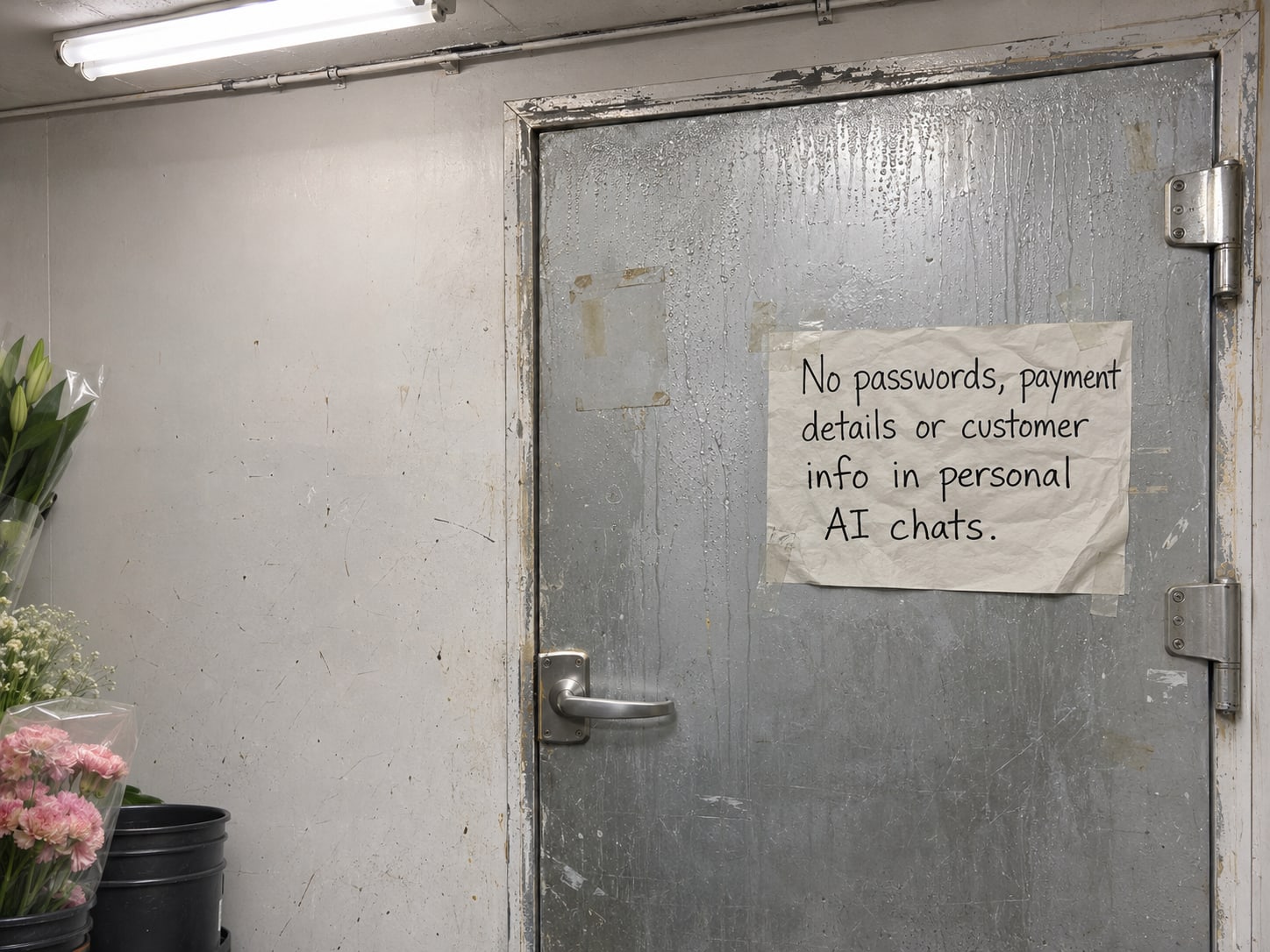
The rule: No passwords, payment details, customer or employee information, or confidential business documents go into a personal AI chat. Anything that needs one of those goes through the approved work account, or does not go to an AI tool at all.

Staff who also use ChatGPT can read our post on locked chats and client privacy, since each tool has its own settings. Whatever the tool, the rule stays the same.
Check what you know about Gemini chats with History off
Pick an answer to begin.
1. With the new History setting off, how long does Google say future Gemini chats are kept?
2. What does Google say about human reviewers and Gemini chats on a Google Workspace account?
3. Which of these belongs in a personal Gemini chat?
Frequently Asked Questions About Gemini Chats Kept for Around Two Months
Does turning Gemini History off delete my chats right away?
Google says future chats are saved for around two months when the new History setting is off. They do not appear in your history during that time, but they remain with your account.
Why does Google keep chats when History is off?
Google says it uses them to respond to you, process your feedback, and protect Google, its users and the public.
Can people at Google read my Gemini chats?
On a personal account, Google's privacy hub says chats may be handled with help from human reviewers. On a Workspace account, Google says chats are not reviewed by human reviewers without your permission.
Is the new training control the same as turning History off?
They are separate. The training control lets you keep your history while opting out of AI model training, and History decides whether chats appear in your list.
How long are chats kept on a work account?
Your organization's administrator sets that, so ask them for the period that applies to your company.
When does the change reach my account?
Google said on November 16, 2026 that it will roll the changes out globally in the coming weeks, and gave no single date. Open Gemini and check the History setting on each account you use.
The Bottom Line
Turning History off hides a chat from your list, and Google says future chats are still kept for around two months to respond, process feedback and protect its services. On a personal account some chats may be seen by human reviewers. On a Workspace account, Google says chats are not reviewed by people or used for training without permission, and the administrator sets retention. A new setting lets you keep history and opt out of training.
The useful steps take an afternoon: find out which account each person uses, set History, training and auto-delete the way you want them, ask your administrator how long conversations are kept, and write one rule. After that, staff can keep using Gemini for the work it suits and know what stays out.
If you want a hand with that, Web Leveling can take stock of the AI accounts your team uses and write the rule with you through our AI consulting work. We work with small and medium businesses across the country and overseas. Contact us about an AI account review, and we will help you set it up.
Terms
Gemini privacy words in this post
Tap a term to see what it means.
History. The Gemini setting that decides whether your chats appear in a list you can reopen.
Temporary Chat. A Gemini chat that does not appear in your history; Google says it is still retained with your account for around two months.
Human reviewers. People Google uses to review some chats; Google says this can happen with personal accounts.
Model training. Using chats to improve Google's generative AI models, which a new setting lets you opt out of.
Google Workspace. Google's paid business version of email and office apps, managed by an organization.
Administrator. The person who controls a Workspace organization's settings, including Gemini access and conversation retention.