Someone two streets from your door types the name of a ceramic mug, a scarf or a gift into Google, and the store that comes up is a national chain. Your shelves hold the same thing. Google just cannot tell what you carry, where you are, whether you are open or whether the item is on the shelf, so the search goes elsewhere.
SEO for a local store that also sells online starts with one job: your Google Business Profile, your website and your stock data have to describe the same shop. When all three tell one story, a nearby shopper has a reason to pick you.
You can do the first round yourself, in order, beginning with the profile and the store page. Google says a small local business can probably do much of its SEO work without hiring a professional. No one can promise a ranking, sales or guaranteed inclusion, but you can make your shop easy to choose.
Key Takeaways
Your Business Profile, your website and your stock data must give the same name, address, hours, products, prices and pickup options.
Pick the most specific primary category that completes "This business IS a," and skip a category for every product.
Local inventory data in Google Merchant Center helps only if availability and price match your site, because a mismatch can suspend eligibility.
Search one product plus "near me," then confirm the profile, the site and the result show the same product, price, location and next step.
Show Up When a Shopper Wants Your Product Today
Shoppers search the way they talk: "ceramic mugs in [town]," "gift shop open now," "running shoes available nearby," "where to buy [product] today." Some searches are urgent, with words like "open now," "in stock," "pickup today" and "near me." Others are planned, and they compare prices, reviews, hours, parking and return policies before leaving the house.
Google has described this behavior in its own reports. In its 2020 local shopping report, Google said searches pairing "local" with "business" grew more than 80% year over year. Its 2024 holiday shopping material cites a Google/Ipsos survey of 1,027 U.S. adults and describes searches for products available at nearby stores. Both are Google's own figures, and you can read them in the local shopping trends report and the holiday shopping update.
Notice how few of those searches name your shop. The shopper names a product and lets the phone supply the location. So, the work, in order, is this: make the profile and website agree, give the store and its products their own pages, then connect stock to Google if you can keep it current.

Make Your Business Profile Match the Shop
Start with the facts a shopper needs before they walk in: the real business name, address, phone, hours and website link. They must match what your website says, letter for letter. Google's profile policy requires business information to accurately represent the location, and it prohibits using categories as keyword lists. Details are in Google's guidelines for representing your business.
Categories come next. Choose the most specific primary category that describes what the business is, then add only relevant secondary categories. Google's category guidance says a category should complete the statement "This business IS a," not "This business HAS a." A boutique is a clothing store or a gift shop; it is not a category for each brand on the rack. For more on picking, see how to choose Google Business Profile categories.
Then fill in the rest. Add accurate services where the profile supports them, with descriptions and prices if you want. Add the attributes that apply, such as shopping, accessibility, payment, delivery or pickup. Upload a storefront photo, an interior photo, product photos, a logo and a cover photo. Google recommends clear, well-lit images that represent reality.
Finally, add your links. Point the website button at the page a shopper should land on, and add shopping or pickup links where the profile supports them. Google allows up to 10 links per transaction category.
Ask real customers for reviews, and reply to them accurately and professionally. Google's review policy prohibits paid, incentivized, selectively solicited or manipulated reviews, and the FTC's advertising FAQs for small business say endorsements must reflect the endorser's real experience.
Give Shoppers a Store Page and Product Pages They Can Act On
A profile can point to a page, but it cannot replace one. A shopper deciding whether to drive over wants to know where you are, when you open, where to park and whether they can get through the door. Give the store its own page and put those answers on it.
Next come product-category pages named the way shoppers name products, then product pages with the details that settle a purchase. Google's SEO Starter Guide recommends descriptive titles and URLs, useful headings, original and current content, clear internal links and descriptive image text. It sets no required word count, and no page is guaranteed to rank.
| Page | What goes on it | What it settles for the shopper |
|---|---|---|
| Store page | Address, map, hours, parking, accessibility, phone, holiday changes | Whether to come in, and when |
| Category page | Products grouped by the words shoppers use | Whether you carry the kind of thing they want |
| Product page | Price, availability, photos, shipping, pickup, returns | Whether to buy now or drive over |
| Pickup, delivery and returns pages | Timing, fees, and how each option works | What happens after they decide |
| Location page | Only for a real location you operate or serve | Where to find a specific store |
Hours deserve special care. Update regular hours and special hours, then keep them current, because a wrong closing time sends a shopper to the next shop on the map. Keep the profile, the store page and any holiday notice in step with each other.
Create a location page only for a real location or area you actually serve. A page for a town you do not serve gives a shopper nothing to act on. It also puts a thin page next to your real ones.
Put In-Store Stock in Front of Nearby Shoppers
If you can keep stock and prices current, Google Merchant Center can connect your shelves to what shoppers see in Google. You supply a product feed, a published Business Profile for each store, and local inventory data that ties product IDs to specific locations. Google says eligible local products can appear in local inventory ads and free local listings when the product is approved and the inventory corresponds to a published Business Profile. Merchant Center Help covers the setup in local inventory ads and free local listings.
The inventory data should carry current availability, price, store information and matching product IDs. Your product pages, or Google-hosted local product pages, must agree with it. Google's Merchant Center guidance warns that availability mismatches can suspend eligibility, so a feed you cannot keep fresh can do more harm than no feed. If your catalog is on a platform you already use, the steps in Google Merchant Center setup for a small online store apply here too.
Pickup is the part shoppers feel most. Where supported, you can turn on "Pickup today" or "Pickup later," and Pickup today requires your website to show in-store availability and pickup timing. If your site does not show store-level availability, Google offers an in-store product and price availability option hosted on Google, but that option is not compatible with pickup experiences. Merchant Center Help describes the local inventory options in more detail.
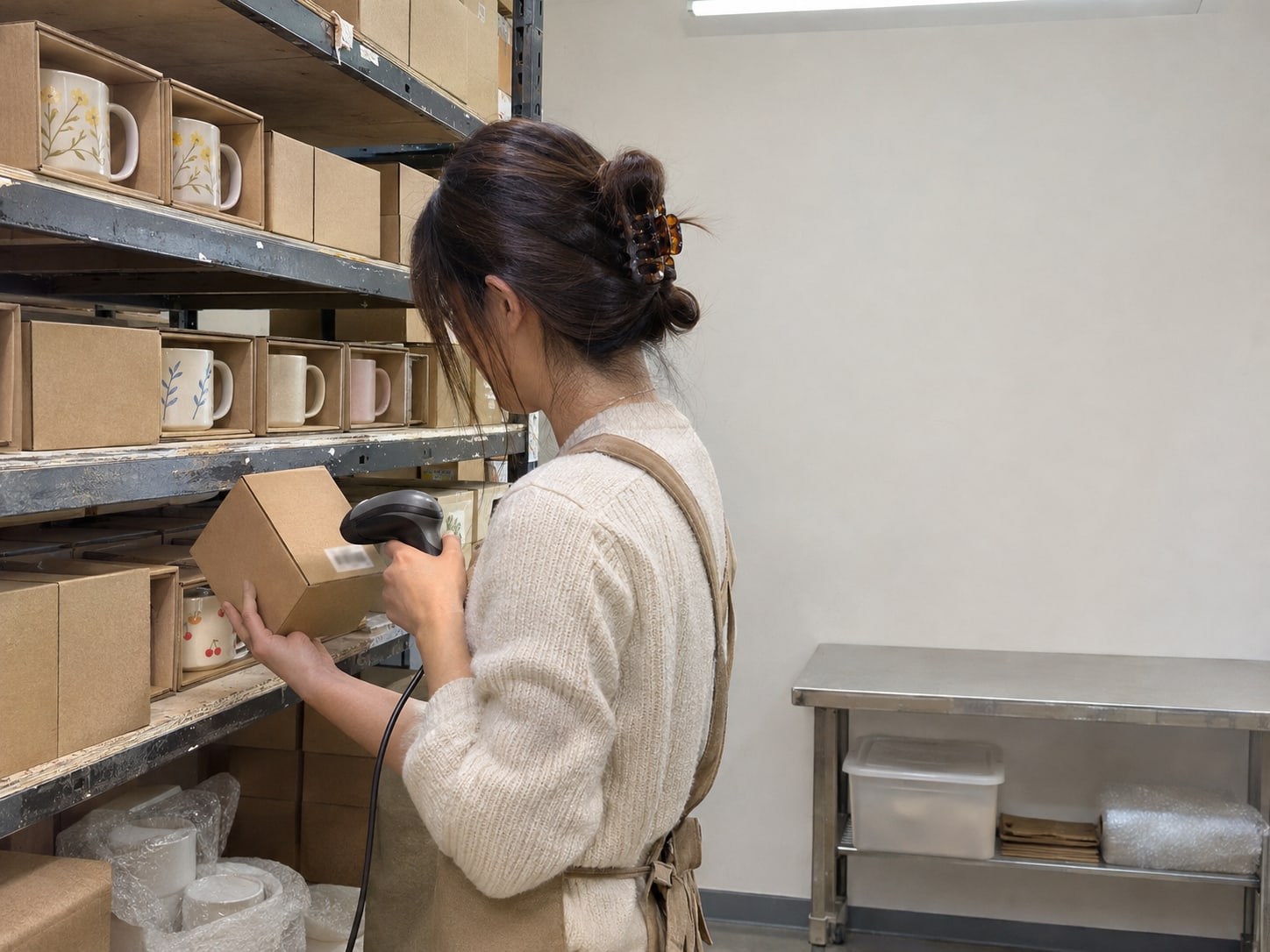
Free local listings are not the same thing as paid Shopping ads, and neither guarantees store visits or sales. If you want to see how the paid and free sides fit together, read what you control in Google Shopping and Bing product listings.
Run a Ten-Minute Check From a Customer's Phone
The simplest way to see your shop as Google shows it is to search for it. Pick one product that matters to your sales, stand where your customers are, and search the product name plus "near me."
The ten-minute product check
Look for your shop in Maps or the local results.
Confirm the address, hours, phone and website shown.
See whether your product pages or listings show up.
Look for words such as available, in stock, pickup or delivery.
Confirm the website shows the same product, price, location and next step.
Note any competing retailer that gives clearer availability information.
Repeat the search with your shop's name and with one product category. Write down the exact results and what a customer would have to do to buy or visit. That list is your to-do list, and the biggest gap on it is the one to fix first.
Be ready for what you see. Google's AI answers and assistants may summarize your hours, location and reviews, but they often cannot answer current stock, exact price, shipping cost or pickup timing. Treat any AI answer as a starting point and confirm the details against your own profile and website. Clear product pages and accurate inventory are what give a shopper a reason to click through.

Fix the Gaps in the Order That Protects Your Sales
When you work down your check, fix the gaps that stop a sale first. A practical order, not a published frequency ranking, runs like this: wrong or unverified profile details, wrong hours, no clear store page, product categories that do not match shopper language, product pages missing price or availability, stale inventory data, weak photos, unanswered reviews, inconsistent listings, and last, spending on content or links before the basics are right. For listing consistency, Google's Business Profile help is a good place to start.
| Gap | What fixing it involves | Size of job |
|---|---|---|
| Profile errors | Verify the profile, correct core details, remove duplicates | Usually small |
| Hours errors | Update regular and special hours, then maintain them | Small but recurring |
| Missing store page | One accurate page with location and visit details | Small to medium |
| Product categories off | Map your stock to customer terms and build useful category pages | Medium |
| Weak product pages | Add unique photos, descriptions, price, availability, pickup, shipping, returns | Medium to large, depending on catalog size |
| Inventory mismatch | Connect your point-of-sale or store platform, build feeds, match product IDs, watch diagnostics | Medium to large |
| Weak photos | Photograph representative products, the outside, the inside | Small to medium |
The jobs that recur are the ones to put on a calendar. Hours need a look before every holiday, and photos need a refresh when the stock changes. Reviews need a reply when they arrive.
Skip the Moves That Cost Money and Add Nothing
Some tactics sound clever and do not help. A city name added to the business name misstates the name your customers know, and Google asks that profile information accurately represent the location. A category for every product misuses the category field. Reviews you pay for, reward or filter break Google's review policy, and the FTC treats testimonials that mislead as deceptive.
You can also stop worrying about a magic word count. Google says content length alone does not determine ranking. A keyword-rich domain name matters little beyond helping a person understand the address, and a fixed number of reviews does not guarantee visibility.
A page for every nearby town is another way to spend effort on nothing. A product photo alone does not make an item searchable as local inventory, and a website that says "in stock" when the shelf is empty sends a customer home annoyed. Spend that time on the profile, the store page and accurate stock data.
Know When Hiring Help Pays Off
You can run the first round yourself: the profile, the hours, the store page and the product photos. Google's guidance on whether you need an SEO professional says a small local business can probably do much of its SEO work on its own.
Help becomes easier to justify when the work crosses systems. That includes a large catalog, several locations, a point-of-sale system that does not connect cleanly, Merchant Center feed disapprovals, technical indexing problems, inconsistent listings or no time to keep stock current. A specialist can find the highest-value mismatch, fix it and watch the feed. Our local SEO work covers the profile and the website side of that.
Expect a good provider to promise work, not outcomes. Guaranteed rankings, fabricated reviews, hundreds of thin location pages and a large content package sold before the basics are fixed are all reasons to walk away.
Is your shop ready to be found nearby?
Pick an answer to begin.
1. Which statement should a Business Profile category complete?
2. What does "Pickup today" require from your website?
3. What should you do first for a shop that sells in store and online?
Frequently Asked Questions About SEO for a Local Store That Also Sells Online
Does a Google Business Profile show every product a shop sells?
Not automatically. Product visibility depends on the profile features, the product data and the Merchant Center setup available to your business.
How can a store show products available nearby?
Use Merchant Center product data and local inventory data connected to matching Business Profiles. The data must stay current, and your product pages must agree with it.
What should a retail shop use as its primary category?
The most specific category that accurately describes what the business is. Add secondary categories only where they are relevant.
Should a shop add every product as a Google category?
No. Categories describe the business, not every product or attribute.
Can a shop show "Pickup today"?
Yes, where supported, if the website and inventory data accurately show in-store availability and pickup timing.
Does every nearby town need a location page?
No. Create location pages only for real locations or areas you genuinely serve, with useful and specific information.
Final Thoughts
A shop that sells on the shelf and on a website gets found nearby when the Business Profile, the website and the stock data agree. Set the profile first, give the store and its products their own pages, and connect stock to Google only when you can keep it accurate. Then test with one product and one search from a phone.
Each fix builds on the one before it. Correct hours stop wasted trips, a clear store page answers the first question a visitor has, and accurate stock turns a search for a product into a visit or a pickup. None of it comes with a ranking promise, but all of it makes the shop easier to choose.
If you want help where the work crosses systems, Web Leveling can look at your profile, your site and your product data side by side. Our custom e-commerce development work builds stores whose product pages, pickup details and inventory data stay in step. We work with small and medium businesses across the country and overseas, so tell us how your shop sells today and we will point to the first gap to close.
Terms
Local store SEO words
Tap a term to see what it means.
Business Profile. A business's free listing on Google Search and Maps, where hours, photos, categories and links appear.
Primary category. The Business Profile category that best describes what the business is.
Google Merchant Center. Google's tool for sending product and store data so products can appear in Google.
Product feed. A file of product details such as ID, price and availability sent to Merchant Center.
Local inventory data. Data that ties product IDs to specific stores and shows current availability and price.
Pickup today. A Google option that lets shoppers buy online and collect in the store, which requires the site to show in-store availability and pickup timing.