


On November 25, 2026, OpenAI chief executive Sam Altman posted on X that OpenAI is "now testing Private Inference" with "a small group of customers." OpenAI's Private Intelligence page lists it as "Private Inference (Alpha)," an early test version, offered for "eligible workflows." OpenAI says it "combines confidential computing with strict controls designed to protect your prompts and responses while the model processes them."
If you have already pasted a contract, a customer list or a set of numbers into ChatGPT, that can sound like the protection you were hoping for. It is narrower than that. Private Inference is a small test tied to eligible workflows, not a switch in your ChatGPT plan, and it leaves training, retention and your team's pasting habits where they were.
What matters first is which account each person on your team uses, because that account already decides whether your chats can be used for training and how long they are kept.
Key Takeaways
Sam Altman said on November 25, 2026 that OpenAI is testing Private Inference with a small group of customers, and OpenAI lists it as Alpha for eligible workflows.
OpenAI says Private Inference is designed to protect prompts and responses while the model processes them. Training, retention and sharing each have their own rules.
OpenAI says it does not train on business data by default, and personal accounts have an "Improve the model for everyone" switch in Data controls.
OpenAI's Enterprise Privacy page, updated January 8, 2026, says deleted or unsaved Business conversations are removed within 30 days, and the page lists exceptions.
Mark each kind of client information as allowed, generalized or kept out, and use placeholders for names, account numbers and contract terms.
What is OpenAI Private Inference designed to protect?
On September 29, 2026, OpenAI previewed the feature in its DevDay recap: "Our preview of Private Inference, coming this fall, combines confidential computing with strict, verifiable controls." Eight weeks later, the preview became a test with real customers.
A prompt is the text you type or paste into a chat. The response is what the model writes back. In other words, OpenAI is describing protection for what you send and what comes back during the time the model is working on it.
A bank's counting room is a fair comparison. The cash is guarded while it is counted behind a locked door. The counting room does not decide what gets written in the ledger afterward, who receives copies of the receipts, or whether the customer should have brought that cash in at all. Private Inference is aimed at the counting room. Training, retention and sharing are the ledger and the receipts, and OpenAI handles each with its own rule.
Private Inference also arrives at the end of a short run of dated OpenAI privacy changes. On January 8, 2026, OpenAI updated its Enterprise Privacy page, which sets out how long workspace chats are kept. On September 21, 2026, OpenAI began rolling out Privacy Center to signed-in ChatGPT Business users. The DevDay preview followed eight days later, and the customer test on November 25.
None of those four dates changed the same thing.

Who can use Private Inference right now?
OpenAI's interest form for Private Intelligence asks a business for four things: company size, job title, privacy needs and AI use cases. That is where a request starts, and the questions are about your work and your privacy needs.
OpenAI's page offers Private Inference for "eligible workflows," and Altman described the test group as "a small group of customers." That wording ties the feature to a workflow, not to a plan name. So, do not assume that ChatGPT Business, ChatGPT Enterprise or any other plan includes it.
But your team already pays for ChatGPT Business. Is your workspace in the test?
Plan as if it is not, until OpenAI tells you otherwise in writing. If the feature matters to your work, ask OpenAI four things about your specific workflow: whether it is eligible, what it costs, when it would be available to you, and which contract terms cover it. Ask for its technical and contract documents before you rely on it for client work.
A feature you cannot confirm is a feature you do not have yet.
If you are still choosing a plan, the guide to ChatGPT plans for a small business team covers that decision. Private Inference is not a reason to change plans until OpenAI confirms your workflow.
Does OpenAI train on your business data?
Open ChatGPT's Settings and choose Data controls. On a personal account, the switch to look for is labeled "Improve the model for everyone." With it off, your new conversations can stay in your history but are not used to train OpenAI's models.
Business accounts start from a different default. OpenAI says on its business data page: "We don't train our models on your organization's data by default." For ChatGPT Business, OpenAI's Business privacy article is shorter still: "OpenAI won't train on your workspace's data."
The API is the connection developers use to build OpenAI's models into their own software. OpenAI's API data guide says: "As of March 1, 2023, data sent to the OpenAI API is not used to train or improve OpenAI models." Customers on the API can choose to opt in, and the default is out.
OpenAI also says business data gets "AES-256 encryption at rest and TLS 1.2 or higher in transit." Those are two encryption standards: one for data stored on OpenAI's systems, one for data moving between your computer and OpenAI.
Not training on a chat is not the same as not keeping it.
How long does ChatGPT keep business chats after you delete them?
Near the top of OpenAI's Enterprise Privacy page sits one line: "Updated: January 8, 2026." For ChatGPT Business, the page says: "Your workspace admins can control how long your data is retained." It adds that "Any deleted or unsaved conversations are removed from our systems within 30 days." That sentence continues with exceptions, so read it in full on the page before you promise a client anything about deletion.
Enterprise, Edu and Healthcare workspaces have their own wording on the same page: "Any deleted conversations are removed from our systems within 30 days, unless we are legally required to retain them." OpenAI's business data page adds that "Qualifying organizations are able to configure how long OpenAI retains business data."
Temporary Chat is the other tool your team may already use. It keeps a conversation out of your history and memory and out of model improvement. OpenAI says Temporary Chats "may be retained for up to 30 days for safety purposes," so treat it as short-lived, not as unrecorded.
The API has one more option. OpenAI says Zero Data Retention is "available for eligible API workflows" and "means we don't retain your prompts or model responses after processing." Without it, "By default, abuse monitoring logs are generated for all API feature usage and retained for up to 30 days."
| Control | What OpenAI says it covers | Who it applies to |
|---|---|---|
| Private Inference (Alpha) | Prompts and responses while the model processes them | Eligible workflows, in a test with a small group of customers |
| Business training default | Organization data not used to train models by default | Business data, including ChatGPT Business workspaces |
| "Improve the model for everyone" | Whether your new chats help train OpenAI's models | Personal accounts, under Settings and Data controls |
| 30-day deletion | Deleted or unsaved Business chats removed within 30 days, with exceptions on the page | ChatGPT Business; Enterprise, Edu and Healthcare have their own wording |
| Temporary Chat | Out of history, memory and model improvement, but may be kept up to 30 days for safety | Chats started as Temporary Chats |
| Zero Data Retention | Prompts and responses not retained after processing | Eligible API workflows |
Each row answers a different question, and Private Inference answers only the first.
What should you keep out of ChatGPT for now?
You scroll back through a chat from last week and find the whole contract in the first prompt: the client's full name, the street address, the account number, the payment terms. Whatever protects that prompt while the model works on it, the chat is still sitting in your history under your account's rules.
The counting room only guards the cash someone brings in.
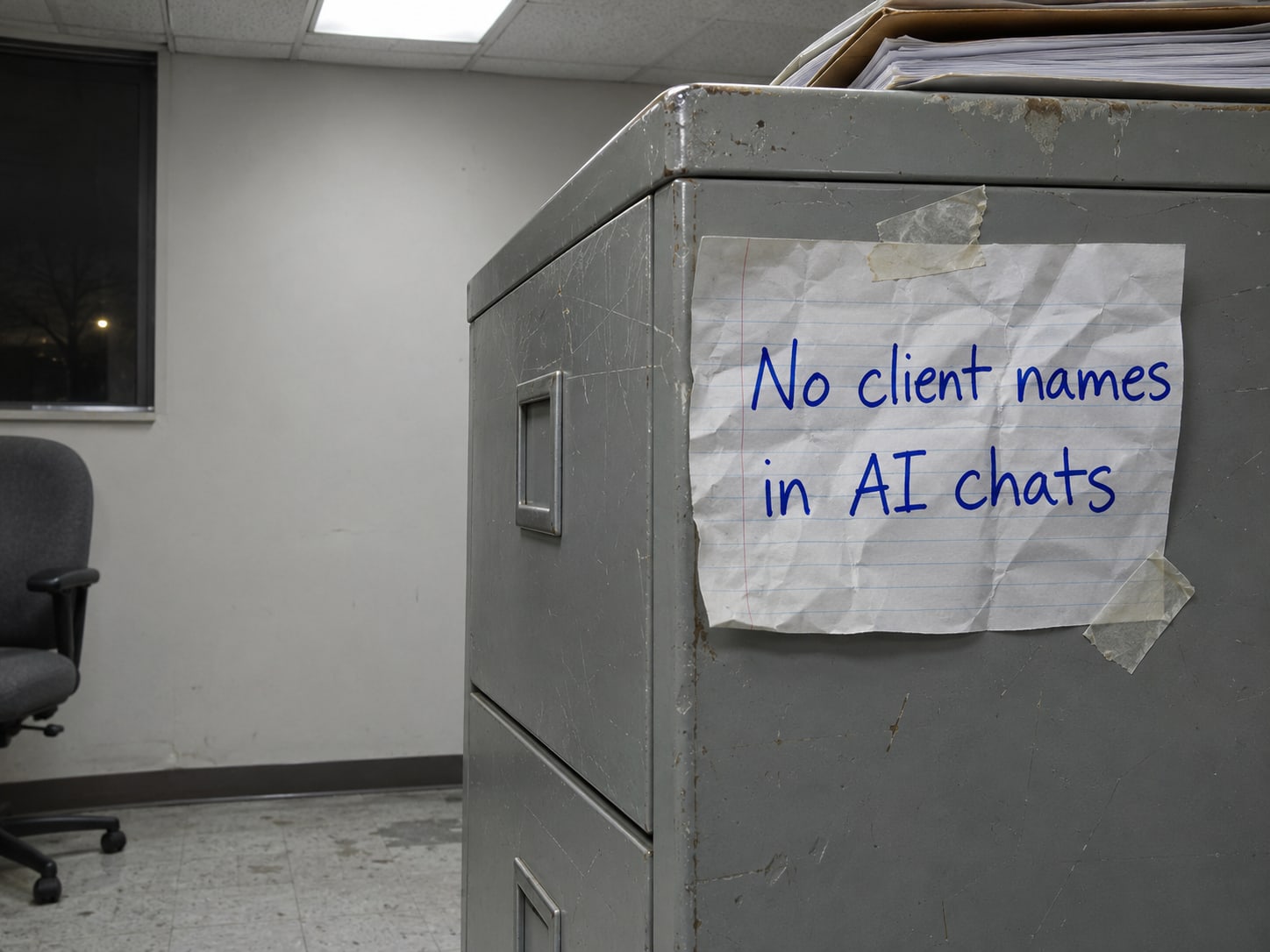
The bigger decision is still what you hand over. Sort what your team pastes into three groups and write the groups down:
- Allowed: Work with no client identifiers, such as a blank proposal outline, a rewrite of your own policy or a general email template.
- Generalized: Real situations with names and numbers swapped for placeholders, such as "Client A," "[address]" or a rounded figure.
- Kept out: Passwords and logins, full account or card numbers, full medical details and confidential contract terms, unless your business has approved that specific workflow and the provider's terms.
Placeholders do most of the work. "Rewrite this payment clause for [Client] at [amount] per month" usually gets you a usable draft, and nothing that identifies the client leaves your office.
Hiding a chat on your own screen is a separate job. Locked Chats and what it leaves alone covers that one, including which settings the lock does not touch.
How do you check your own accounts in ten minutes?
Set a timer for ten minutes and write down everyone on your team who uses ChatGPT for work. The check below runs in the order you would do it alone, with no IT department. Each step names the screen or the question to ask. By the end, you will know which rules your client details already live under.
Minutes one to three: match each person to an account
Next to each name, write which account they use for client work: a personal ChatGPT account, a ChatGPT Business workspace, ChatGPT Enterprise, or the API through another tool. Company information belongs in the company workspace. A personal account used for client work is the first thing to fix.
Minutes four to five: check Data controls on personal accounts
On every personal account still in use, open Settings, then Data controls, and turn off "Improve the model for everyone." Turning it off does not delete chats already in the history, so delete any old chats that hold client details.
Minutes six to eight: ask your workspace admin four questions
The workspace admin is the person who manages your Business or Enterprise settings. Ask how long chats are kept, whether shared links are allowed, which connected apps are turned on, and who has admin or audit access to chats. Write the answers next to your account list.

Minutes nine to ten: sort your client information
List what your team actually pastes: customer names, contact details, contracts, pricing, payroll, health information, passwords, financial records and internal plans. Mark each one allowed, generalized or kept out, then share the list with the team.
Ten minutes, and you know where your client details live.
When is outside help worth paying for?
A proposal lands in your inbox offering a private AI setup for your business, with the setup fee on page one and no question about which accounts your team uses. Hold it until your own check is done.
You do not need to wait for Private Inference to start.
A business can begin with low-risk drafting in a managed workspace, using placeholders and fewer identifiers. Private Inference becomes worth a closer look once OpenAI confirms your workflow is eligible and the contract terms are in writing.
Outside help is worth considering when the check gets crowded: several accounts, client contracts with confidentiality terms, API workflows, or connected apps that pull in email and files. The useful work is mapping where prompts and files go, separating training from retention and processing protections, and setting rules your staff can follow. A vendor who sells a costly setup before checking those basics may be selling complexity.

Check what Private Inference covers
Pick an answer to begin.
1. What does OpenAI say Private Inference is designed to protect?
2. Your team uses ChatGPT Business. Should you assume Private Inference is part of your plan?
3. Where do you turn off model training on a personal ChatGPT account?
Frequently Asked Questions About openai private inference
What is OpenAI Private Inference?
It is a feature OpenAI lists as "Private Inference (Alpha)." OpenAI says it combines confidential computing with strict controls designed to protect your prompts and responses while the model processes them.
Is OpenAI Private Inference available in ChatGPT Business?
Do not assume so. OpenAI offers it for "eligible workflows," and Sam Altman said on November 25, 2026 that it is being tested with a small group of customers. Ask OpenAI to confirm eligibility, price and contract terms for your workflow.
Does OpenAI train on business data?
OpenAI says it does not train its models on your organization's data by default. API data has not been used to train or improve OpenAI models since March 1, 2023, unless the customer opts in.
Is ChatGPT private for business use?
It depends on the account. Business data is excluded from training by default, workspace admins control retention, and OpenAI says deleted or unsaved Business conversations are removed within 30 days, with exceptions listed on its Enterprise Privacy page.
Is Private Inference the same as Zero Data Retention?
No. Private Inference is aimed at prompts and responses while the model processes them. Zero Data Retention is an option for eligible API workflows under which OpenAI says it does not retain prompts or model responses after processing.
Can I paste client information into ChatGPT?
Use placeholders for names, addresses and account numbers, and keep passwords, full medical details and confidential contract terms out unless your business has approved that workflow and the provider's terms.
What This Means for You
Private Inference is a small Alpha test that OpenAI says protects prompts and responses while the model processes them. It is tied to eligible workflows, not to a ChatGPT plan, so treat it as unavailable until OpenAI confirms your workflow in writing. Training, retention and sharing each have their own OpenAI rules, and your account already decides how they apply to your chats. The ten-minute check shows which rules those are.
A written list of what stays out of chats protects you on every plan, with or without a new feature. The best-protected client detail is the one nobody pasted.
If your team works across several accounts, client contracts, API workflows or connected apps, Web Leveling can map where your prompts and files go and help set rules your staff can follow. Our AI automation work builds those workflows with client details kept to what each task needs, and we can help you judge when Private Inference is worth raising with OpenAI. We work with small and medium businesses across the country and overseas. Tell us which AI tools your team uses and what goes into them, and we will help you sort out the first steps.
Terms
Private Inference words in this post
Tap a term to see what it means.
Private Inference. An OpenAI feature in Alpha that OpenAI says combines confidential computing with strict controls to protect prompts and responses while the model processes them.
Alpha. An early test version of a product, offered to a limited group before any wider release.
Confidential computing. The term OpenAI uses for the technology behind Private Inference, which it pairs with strict controls.
Prompt. The text you type or paste into a chat; the response is what the model writes back.
Zero Data Retention. An OpenAI option for eligible API workflows under which prompts and model responses are not retained after processing.
API. The connection developers use to build OpenAI's models into their own software.
Workspace admin. The person who manages a ChatGPT Business or Enterprise workspace's settings, including how long chats are kept.